

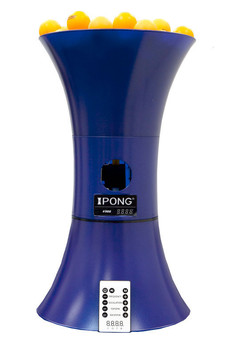
After solving some technical issues (see detailed below), the product worked as advertised. I got a good variation of spin, placement and speed, but it does take some time to get used to fiddling with the settings.
Overall, it's a good product for its price. I gave it 4 stars because the product itself is not bad, but the factory settings were off, and it took me a while to get ahold of iPong's support.
I'm writing the troubleshooting steps here in case anyone is having the same problem, so that they can enjoy the product without much hassle.
-----
Thoughts on the product:
- Topspin: I can get a good practice against iPong's topspin, and can set it to feed me low to medium spin balls. These are good for warm up and regular practice; the only con is that I wasn't able to simulate a very heavy topspin for me to block.
- Backspin: The iPong generates a good amount of backspin. In higher settings, it generates much spin, but you can just avoid using those.
- Frequency: You can adjust how short is the interval between balls, and the range from lowest to highest setting covers all scenarios I need.
- Oscillation: If you're used to multiball, it feels awkward because the ball position becomes a bit random -- but then again it can be a good practice since it's hard to anticipate the trajectory.
-----
On delivery and Megaspin.net's customer support:
The product arrived soon after I placed the order, and Megaspin.net's staff was very helpful throughout the process of solving my technical issues. They did a superb job following up with me and with iPong costumer support.
-----
On iPong customer support:
It was hard to contact them, and they didn't return after I left a voice message. Once I managed to get ahold of them, I was able to solve the problem quickly.
-----
About the technical issues and how they were solved:
The problems that I had were:
(1) the lowest backspin setting produced too much spin;
(2) whenever I set both topspin and backspin motors together, I could not get the ball not to fly off the table; and
(3) the highest topspin setting did not have enough speed.
I was able to solve (1) and (2) with the troubleshooting steps below, and partially solve (3).
These steps adjust the voltage settings for top and bottom motors -- which means it changes the amount of spin. They only work for iPong V300 "C" models (the serial number starts with a "C").
1- First plug the AC adapter into the rear of the unit.
2- While the unit is off, enter the adjustment mode by using the frequency button combinations: F-, F+, F-, F+
3- The display may show default values of: 1 5 2 5 (note the flashing numbers of the 2nd and 4th position).
4- The 2nd position is the default setting of the top motor.
5- The 4th position is the default setting of the bottom motor.
6- Press the topspin "-" button 3 times (to reduce the default voltage of the top motor to the lowest value).
7- Press the backspin "-" button 3 times (to reduce the default voltage of the bottom motor to the lowest value).
8- The display should now show 1 2 2 2.
9- Now exit the adjustment mode by pressing using the frequency button combinations: F-, F+, F-, F+
10- Then press the power-on button to begin using the unit. You should notice a change in the ball shooting.
Change steps (6) and (7) accordingly to what best works for you.
-
 Home
Home
-
Tables
-
 Robots
-
 Rackets
- Types
- Hardbat Rackets (without sponge)
- Entry Level Rackets - Pips-In w/Sponge
- Entry Level Rackets - Pips-Out w/Sponge
- Intermediate Recreational Rackets
- Advanced Recreational Rackets
- Penhold Recreational Rackets
- Penhold Pro Combos
- Offensive Pro Combos
- Allround Pro Combos
- Defensive Pro Combos
- Oversized Rackets
- Outdoor Rackets
- See also
- Balls
- Cases
- Cleaners
-
 Blades
-
 Rubber
-
 Balls
Balls
-
 Assembly
-
 Apparel
-

- 729/Friendship
- Andro
- Barna
- Butterfly
- Cornilleau
- Der Materialspezialist
- DHS
- Donic
- Dr. Neubauer
- Falco
- Gambler
- Gewo
- Hallmark
- IPONG
- JOOLA
- Juic
- KETTLER
- Maxi Pong
- MK
- Newgy
- Nittaku
- Paddle Palace
- PingPongBuddy
- Power Pong
- Practice Partner
- REvolution 3
- Sanwei
- Sauer & Troeger
- Sponeta
- STAG
- Stiga
- Tibhar
- TSP
- Victas
- XIOM
- Yasaka
-

→ 2-Wheel Table-Top Robots → IPONG V300
→ IPONG Robots → IPONG V300
Customer review for IPONG V300
← Back to All reviews for IPONG V300